Smartphones have become an essential part of daily life, but over time they can become cluttered with junk files, unused apps, and unnecessary data that slow down performance. This is where CCleaner for Android comes in. Developed by Piriform, the creators of the popular desktop cleaning software, CCleaner is designed to help Android users maintain a cleaner, faster, and more efficient device. With millions of downloads worldwide, the app has established itself as one of the most trusted optimization tools available on the Google Play Store.
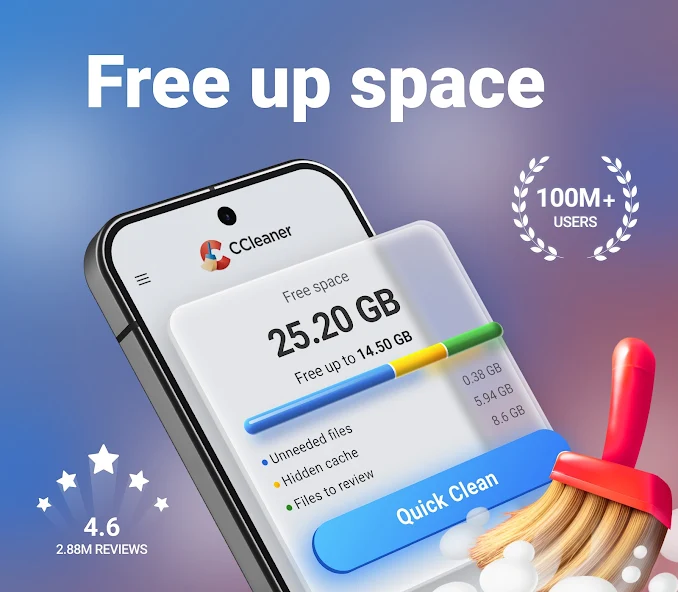
One of the primary reasons users choose CCleaner is its powerful cleaning functionality. As we use our phones every day, temporary files, cache data, and leftover files accumulate in the background. These files consume valuable storage space and can negatively affect device performance. CCleaner scans your device and identifies unnecessary files that can be safely removed, helping users reclaim storage with just a few taps.
The app offers several useful features that make device maintenance simple and effective:
- Remove junk and temporary files
- Clean application cache data
- Analyze storage usage
- Monitor system performance
- Uninstall unused applications
- View CPU, RAM, and battery statistics
- Free up storage space quickly
These tools provide users with a complete solution for managing their Android devices without requiring technical expertise.
Another standout feature of CCleaner is its storage analysis tool. Many users struggle to understand what is consuming their phone’s storage. CCleaner breaks down storage usage into clear categories such as photos, videos, audio files, documents, and applications. This detailed overview helps users identify large files and folders that may no longer be needed, making storage management much easier and more efficient.
Performance monitoring is another area where CCleaner excels. The app provides real-time information about system resources, including CPU usage, RAM consumption, battery level, and device temperature. This allows users to better understand how their device is performing and identify applications that may be consuming excessive resources. For users who frequently multitask or use resource-intensive apps, this feature can be especially valuable.
Battery management also plays an important role in maintaining a healthy smartphone experience. While CCleaner is not primarily a battery-saving application, its monitoring tools can help users identify apps that drain battery life unnecessarily. By removing unused apps and reducing background activity, users may notice improvements in battery performance and overall device responsiveness.
One of the reasons CCleaner remains popular is its user-friendly interface. The app is designed with simplicity in mind, making it accessible to both beginners and experienced Android users. Navigation is straightforward, and most maintenance tasks can be completed with a single tap. The clean design ensures that users can optimize their devices without feeling overwhelmed by complicated settings or technical jargon.
Security and privacy are also important considerations when choosing a cleaning application. CCleaner helps users manage installed applications and remove unwanted software that may consume resources or pose privacy concerns. Regular cleaning and app management can contribute to a safer and more organized digital environment, especially for users who frequently install and test new applications.
While the free version offers a robust set of features, CCleaner also provides a premium option for users who want additional functionality. Premium features may include scheduled cleaning, enhanced monitoring tools, and a more streamlined optimization experience. For many users, however, the free version delivers more than enough functionality to keep their devices running efficiently.
Final Verdict
CCleaner for Android remains one of the most reliable and effective device optimization tools available today. Its combination of junk file cleaning, storage analysis, performance monitoring, and user-friendly design makes it a valuable companion for Android users who want to keep their devices in top condition. Whether your goal is to free up storage, improve speed, or simply maintain a healthier smartphone, CCleaner provides a practical and easy-to-use solution that continues to earn its reputation as a leading Android cleaning app.