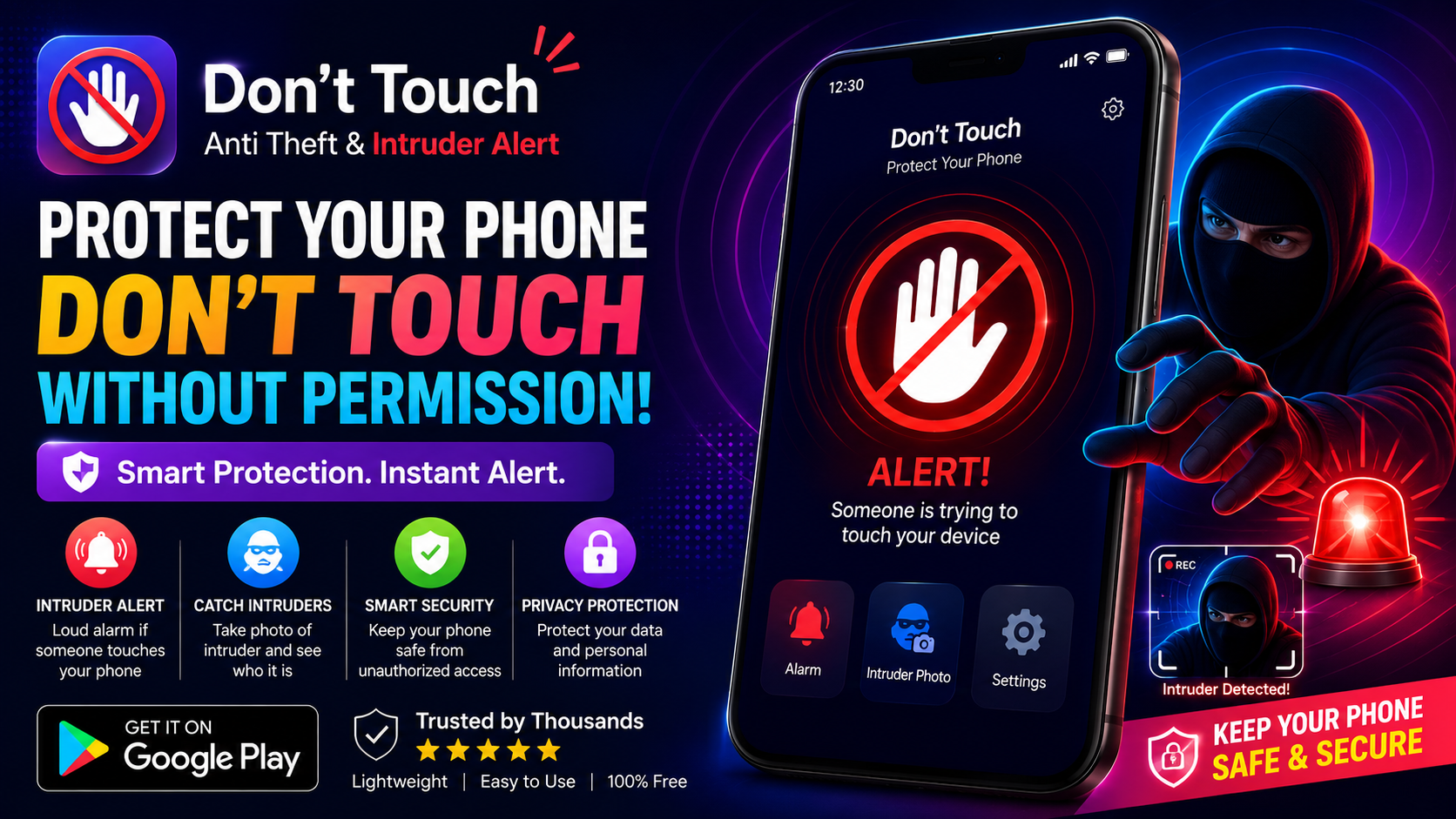
We've all been there. You leave your phone on your desk for a moment, or step away from your laptop in a coffee shop, and that nagging feeling creeps in. Is someone looking at your screen? Are they about to walk off with your device? The "Don't Touch My Phone ™" app offers a brilliantly simple and surprisingly effective solution to this universal anxiety. It transforms your smartphone into a motion-sensing alarm system designed to protect your personal space and valuables from unwanted intruders. With over 220,000 ratings on the Google Play Store, this app has clearly struck a chord with users who want to add an extra layer of security to their daily lives.
The Core Concept: A Motion-Activated Alarm for Your Stuff
At its heart, the app is incredibly straightforward. You place your smartphone on top of or next to an item you want to protect—think your laptop, your bag, or even a closed door. Once you activate the alarm, the app uses your phone's motion sensors to detect any movement. If someone touches or moves the protected item, the app triggers a loud, piercing ringtone. The idea is that the unexpected noise will startle the intruder, draw attention, and make them flee without having a chance to snoop or steal . It's a simple concept, but one that can be remarkably effective in public spaces like libraries, cafes, or shared offices.
Catch the Culprit with the "Intruder Selfie"
The app's latest feature takes its security capabilities to a whole new level. Now, it doesn't just sound an alarm; it can also capture a photo of the person who triggered it. This "Intruder Selfie" feature is a game-changer. If someone tries to unlock your phone or moves it while the alarm is set, the app can silently snap a picture using the front-facing camera. This gives you visual evidence of who was tampering with your device, which can be incredibly useful for identifying a snooping colleague or providing proof to authorities in case of theft. This moves the app from being a simple deterrent to a proactive investigative tool.
Smart Unlock and Customizable Alerts
A security app is only useful if it doesn't become a nuisance to its owner. The developers have clearly thought about this, implementing smart features to ensure you can easily disarm the alarm. The app now supports face and iris unlocking, as well as fingerprint recognition, to deactivate the alarm without setting it off . This means you can access your own device seamlessly while still keeping it protected from others. An "Intelligent Auto-Disarm" feature even stops the alarm automatically when you unlock your phone using your biometrics. You can also personalize the alarm by recording your own voice or setting a specific ringtone, making the alert both effective and uniquely yours.
Who Is This App For?
This app is incredibly versatile and can be useful for anyone who wants to protect their personal space and devices. Here are a few examples:
- Students: Use it to protect your laptop in a busy university library or to catch a roommate snooping through your notes.
- Office Workers: Secure your desk and computer when you step away for a meeting or a coffee break.
- Cafe Goers: Keep your bag safe while you're working remotely in a public space.
- Travelers: Protect your belongings in hostels or hotels.
- Anyone Concerned About Privacy: Catch a partner, family member, or colleague who might be looking at your phone without permission.
User Feedback and Honest Perspective
The app has generated a significant amount of user feedback, with a rating of 4.5 stars from over 220,000 reviews . The developer, Wojciech Augustynowicz (tappaz.studio), is active and responsive, often replying to user comments and updating the app. The recent updates in August 2026, including the "Intruder Selfie" and biometric unlock features, show a commitment to improving the app . However, some users have expressed frustration with the number of ads, with one user simply stating "全是广告,垃圾" (All ads, garbage). The developer has acknowledged this, explaining that the ads support their work as an independent developer and offering a premium version to remove them. Other users have noted limitations, such as the app not working after the phone is turned off, which is a technical limitation for most security apps.
Privacy and Data Considerations
It's important to be aware of the app's data practices, especially given its security-focused purpose. According to the developer, the app may share data with third parties, including location, personal information, and three other categories of data . It may also collect location, personal information, and four other types of data . While data is encrypted in transit, the developer states that data cannot be deleted. This is a significant consideration for privacy-conscious users. You should review the app's full privacy policy to understand exactly what data is collected and how it is used, especially since the app has the potential to capture images and other sensitive information.
The Final Verdict: A Simple but Effective Deterrent
The "Don't Touch My Phone ™" app is a clever and effective deterrent against snooping and theft. Its core function—a motion-activated alarm—is simple yet powerful, and the new intruder photo feature adds a significant layer of accountability. The smart unlock options make it user-friendly, ensuring you don't get locked out of your own device.
However, potential users should weigh the benefits against the privacy concerns and the potential for ad interruptions. If you're looking for a simple, fun, and functional way to protect your belongings in public or shared spaces, and you're comfortable with the app's data policies, this app is a solid choice. It's a great example of how a simple idea, executed well, can provide significant peace of mind.