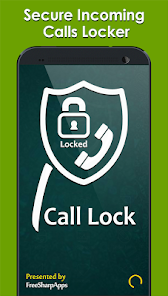
In a world where our smartphones hold the keys to our professional and personal lives, a ringing phone can suddenly become a privacy risk. You might hand your device to a child, leave it on your desk during a break, or have it lying nearby when a friend or colleague is present. When an incoming call flashes a name and number on the screen, anyone nearby can see it. Even worse, they could answer before you reach the device. This is where a dedicated call lock app, like Secure Incoming Calls Lock by FS Apps, steps in to give you back control.
The primary purpose of this tool is deceptively simple but incredibly useful: it prevents anyone but you from seeing the details of an incoming call or answering it without permission. Instead of relying on your phone’s default (and often unprotected) incoming call screen, the app overlays a lock—either a PIN code or a pattern—that must be entered before the call can be viewed or accepted. For anyone who values their call privacy, especially journalists, healthcare workers, or people in sensitive relationships, this isn’t a luxury; it’s a necessity.
So, how does the app work in practice? The setup process is straightforward and takes less than two minutes. Here’s a step-by-step breakdown based on how the app is designed:
- Step 1: Download “Secure Incoming Calls Lock” from the Google Play Store.
- Step 2: Open the app and choose your lock type (PIN code or pattern). Set your secret combination.
- Step 3: Decide if you want to lock all incoming calls by tapping “All Contacts.”
- Step 4: Alternatively, choose “Select Contacts” to manually pick specific people from your address book (for example, lock only your boss, doctor, or spouse).
- Step 5: Optional—customize the lock screen background or theme to your liking.
Beyond basic call screening, the app pulls double duty with a few bonus features that make it more versatile. You can use it as a standard call blocker for unwanted numbers, turning it into a shield against telemarketers. It also functions as an unknown call spam fighter, giving you extra control over calls from numbers not saved in your contacts. For users running Android 9 and above, the developer notes that functionality is limited, but the app remains compatible with new devices and receives regular performance fixes.
One of the smartest design choices is the distinction between locking all contacts versus specific ones. You don’t necessarily need a password to answer a call from your mother or your best friend, but you might want one for calls from your bank, your therapist, or a confidential work client. By enabling the lock only for selected contacts, you maintain seamless everyday use while hardening security exactly where it matters most. This level of granularity is rare in call management apps and adds real value.
That said, no app is perfect, and there are a few things you should consider before installing. According to the app’s declared data safety section, it shares location, app activity, and device IDs with third parties. It also collects the same types of data plus app performance info. While data is encrypted in transit, the developer states that you cannot request data deletion. If you are highly sensitive about data collection, this might be a red flag. However, for most users focused on who sees their incoming calls, the privacy benefit on the lock screen may outweigh these back-end trade-offs.
In terms of real-world use, the app excels at solving a very specific problem: “shoulder surfing” and unauthorized call answering. Imagine you’re in a meeting and your phone is face-up on the table. A private number appears. Without the lock, anyone glancing over sees it. With the lock active, they only see a request for a PIN or pattern. Similarly, if a curious friend grabs your phone when it rings, they cannot answer or even see the caller’s name until they know your code. You remain the sole gatekeeper of your incoming communications.
Final verdict: Secure Incoming Calls Lock is a niche but highly effective tool for Android users who feel exposed every time their phone rings in a semi-public or shared environment. It’s easy to set up, offers selective locking per contact, and includes bonus spam-fighting features. Just be mindful of its data collection policies and the limitation on Android 9+ devices. If those trade-offs feel acceptable, this app can bring you real peace of mind—one locked call at a time.