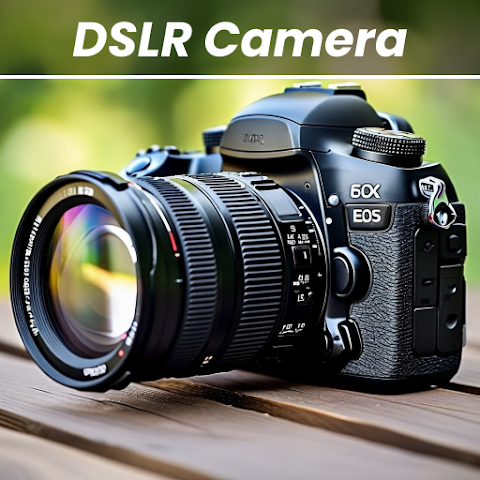
Smartphone cameras have improved dramatically over the years, but many users still crave that professional "DSLR look"—sharp details, beautiful background blur (bokeh), and precise control over settings. That is exactly where apps like DSLR Professional HD Camera enter the picture. With over 10 million downloads and a solid 4.2-star rating from nearly 90,000 reviews, this app has attracted a massive audience. It promises to turn your ordinary phone camera into a professional-grade shooting tool, complete with 4K video, blur editing, and manual controls. But can a free app truly compete with dedicated cameras or even your phone's built-in camera app? Let us find out.
What the App Claims to Do
The official description positions DSLR Professional HD Camera as a feature-packed alternative to your phone's default camera. It is designed to help you capture "high-quality photos and videos" using both front and rear cameras, with an emphasis on speed and ease of use. The developers have focused on giving users more control over their shots, rather than relying on automatic modes.
Here are the core features listed:
- Capture 1080p HD photos and videos (the title says 4K, but the feature list mentions 1080p—worth noting).
- Accurate face detection for better portraits.
- Scene modes, white balance, color effects, and exposure compensation.
- Burst mode with configurable delay.
- Blur effect editor to add or adjust background blur after taking a photo.
- Adjustable zoom with one-touch or multi-touch gestures.
- Option to disable shutter sound (useful for quiet environments).
- Volume key controls – use the volume buttons to take photos, zoom, or adjust exposure.
- Remote control via timer with optional audio countdown.
For a free app, that is an impressive list. Many of these features are only found in flagship phone camera apps or paid camera replacements.
The Blur Effect: A Standout Feature
One of the most advertised capabilities is the blur effect editor. Unlike simple portrait modes that blur the background automatically (and sometimes inaccurately), this app allows you to manually adjust the blur after taking the photo. You can change the intensity of the blur, paint blur onto specific areas, and even erase it from parts you want to keep sharp.
This is particularly useful for product photography, food shots, or portraits where the automatic blur missed an edge. The app gives you brush size control, so you can finely tune which parts of the image are blurred. For users who enjoy editing their photos directly on their phone, this feature alone might justify the download.
Manual Controls: For Users Who Want More Power
Your phone's default camera app is designed for simplicity: point, tap, shoot. DSLR Professional HD Camera, on the other hand, offers a range of manual controls that give you creative freedom. You can adjust:
- White balance – to get accurate colors under different lighting (sunlight, fluorescent, cloudy, etc.).
- Color effects – apply filters like sepia, negative, or monochrome before shooting.
- Exposure compensation – make the image brighter or darker without affecting focus.
- Focus mode – choose between auto, macro (close-up), or infinity (landscapes).
- Scene modes – preset optimizations for portraits, night shots, sports, and more.
These controls are standard on DSLR cameras but rare in free Android camera apps. If you are someone who likes to tweak settings before pressing the shutter, you will appreciate this level of access.
Privacy and Data: What You Should Know
Before you start shooting, it is wise to check how the app handles your information. According to the Google Play listing:
- The app may share device IDs with third parties.
- It does not collect any personal data (no name, email, location, etc.).
- Data is encrypted in transit – good for security.
- However, data cannot be deleted once collected.
The fact that no personal data is collected is a major plus. The sharing of device IDs is typical for ad-supported free apps—it helps serve targeted advertisements. The inability to delete data is a minor concern, but since no personal information is stored, the risk is low. As always, be cautious about granting unnecessary permissions like location or contacts if the app asks for them (the listing does not specify which permissions are required, but camera and storage are obvious necessities).
Performance and Image Quality: Realistic Expectations
Here is the honest truth: no app can magically turn a 12-megapixel phone camera into a full-frame DSLR. The quality of your photos will always be limited by your phone's physical hardware—the lens, sensor size, and image processor. What apps like this can do is optimize the software processing and give you manual control to avoid the auto-mode mistakes.
In practice, DSLR Professional HD Camera may produce slightly sharper or better-exposed images than your default camera app, especially in tricky lighting. The blur effect is applied digitally (not optically), so it may look less natural than the portrait mode on a flagship phone like a Pixel or iPhone. However, for users with older or budget phones that lack advanced camera software, this app can be a genuine upgrade.
Expect:
- Better manual control but not miraculous image quality.
- Faster shooting with burst mode and volume key triggers.
- Useful blur editing for creative shots, but not true DSLR bokeh.
- 4K video? The listing is inconsistent (title says 4K, features say 1080p). Assume 1080p HD unless you test otherwise.
User Reviews and Recent Updates
With nearly 90,000 reviews and a 4.2-star average, user sentiment is generally positive. The most recent update (December 10, 2024) added a "New Templates feature," suggesting the developer is actively improving the app. Unfortunately, the Google Play listing does not show recent individual reviews, so we cannot see current complaints. However, the high download count and good rating indicate that most users find it useful.
Common praise for apps in this category often includes: "better than my stock camera," "easy to use blur effect," and "fast response time." Common complaints might involve: ads (it is free, so expect some), occasional crashes, or the blur effect looking artificial on complex backgrounds. Since the developer (QUANTUMTECH LTD based in Israel) provides support email (support@dosaapps.com), you can report issues directly.
Who Should Download This App?
DSLR Professional HD Camera is not for everyone, but for a specific group of users, it could become a go-to photography tool. You will benefit most if:
- You have an older or budget Android phone whose default camera app is basic or slow.
- You want manual controls (white balance, exposure, scene modes) that your stock camera lacks.
- You enjoy adding blur effects to photos and want more control than automatic portrait mode.
- You need burst mode or volume key shooting for action shots or selfies.
- You want a free, ad-supported camera app and do not mind occasional ads.
You can probably skip this app if:
- You already have a flagship phone (Pixel, Galaxy S series, iPhone) with an excellent default camera.
- You never edit photos or adjust settings beyond point-and-shoot.
- You are willing to pay for a premium camera app like ProCam X or Open Camera (which has no ads).
- You are sensitive to ads interrupting your shooting experience.
For casual users, the default camera app is usually sufficient. But for photography enthusiasts on a budget, this app offers a surprising amount of control for free.
Final Verdict: A Feature-Packed Free Camera with Real Utility
DSLR Professional HD Camera does not magically turn your phone into a Canon or Nikon, but it does provide a robust set of manual controls and editing tools that most stock camera apps lack. The blur effect editor is genuinely useful, the face detection works well, and the ability to use volume keys as shutter buttons is a small but meaningful convenience. The privacy policy is acceptable (no personal data collected), and the app is actively maintained.
However, manage your expectations. Image quality is still limited by your phone's hardware. The app is free, so you will see ads. The 4K video claim is questionable. And the blur effect, while adjustable, is digital and may not match the natural bokeh of a real DSLR. If you go in knowing these limitations, you will likely be satisfied.
Bottom line: A solid, free camera app for budget phone users and manual-control enthusiasts. Just do not throw away your actual DSLR just yet.